Panda Express
- 4.6
- Rating
- 5.00M
- Installs
- Free
- Price
 Analysis by App-foxy
I approached Panda Express as more than a digital menu. It is a Food & Drink app from Panda Restaurant Group, Inc., built around ordering from the restaurant and using Panda Rewards. That focus makes it useful when I already know I want Panda Express, but less compelling as a general restaurant-discovery tool.
The app is free, carries an Everyone age rating, and has been available since August 20, 2014. Its current version is 7.5.4, and it works on devices running Android 7.0 or later. Those details matter because an older phone may still be compatible, while a very old operating system may need an upgrade before installation.
What it feels like to use the Panda Express app
My first impression is that this is a purpose-built companion for ordering Panda Express rather than an attempt to replace every food app on a phone. The restaurant identity is clear, the choices are familiar, and the path from deciding what to eat to placing an order is much shorter than browsing a broad delivery marketplace.
You May Also Like

 Blood Strike: 2.5 Anniversary
Blood Strike’s Loadouts Turn Every Drop Into a Tactical Gamble
A close look at Blood Strike’s custom loadouts: how fast access to signature weapons reshapes its battle royale rhythm, rewards preparation, and narrows the gap between fights.

 Pandora - Music & Podcasts
Pandora’s Music Is Easy to Start, but Harder to Recover
Pandora’s strength is its low-effort path from a seed to a station. Its weak spot is how much confidence it asks you to place in connection, setup, and quiet recovery.

 8 Ball Pool
 Is Built on Rivalries, Rematches, and Routine
A close look at the rivalries, rematches, shared routines, and unanswered safety questions that turn a quick pool match into a persistent mobile community.

 Samsung Music
’s Quiet Strength Is Playing What You Already Own
Its reach comes less from spectacle than from dependable access to a personal library. That simplicity is both the app’s strongest retention engine and its ceiling.

 AccuWeather: Weather Radar
AccuWeather Review: A Quick, Clear Forecast for Everyday Decisions
For everyday plans, the best forecast is the one you can understand quickly. AccuWeather makes rain timing, radar, and local conditions easy to act on, with a few trade-offs.

 Hill Climb Racing
Why Hill Climb Racing Still Turns Crashes Into One More Run
A tiny car, a bumpy hill and one more upgrade: Hill Climb Racing keeps resurfacing because its simple chaos makes every near-miss feel personal.
More From Our News Desk
View All News


That narrow purpose is also its main strength. I would open it when I wanted to check Panda Express options, choose a restaurant, manage an order, or interact with Panda Rewards. I would not open it when I was undecided between several local restaurants, comparing independent menus, or looking for a wide range of dietary filters across different businesses.
The app has a strong public track record, with an average rating of 4.6 from around 63 thousand ratings and more than 5 million installs. I treat that as useful context rather than proof that every experience will be smooth. Restaurant apps are especially dependent on location, store operations, order volume, and how accurately a nearby branch handles the request.
Ordering is the central workflow
The practical value comes from keeping the order inside the Panda Express ecosystem. Instead of switching between a web browser, a delivery marketplace, and a rewards account, I can use one branded place to begin the process. That reduces the small bits of friction that often make a quick meal order feel unnecessarily complicated.
A realistic example is a weekday lunch when I have only a short break. I can use the app to identify a convenient Panda Express location, review the available meal choices, and decide whether the order fits my plan before heading out. If I am picking food up, the app is more useful than calling because I can review the selections visually and catch a mistaken side or entrée before submitting.
I would still check the selected restaurant carefully. A chain app can make the ordering process feel unified, but the actual experience remains tied to the specific location handling the order. Store hours, availability, preparation speed, and pickup conditions can affect the result. The app helps organize the request; it cannot remove every real-world variable at the restaurant.
Rewards are more than a decorative extra
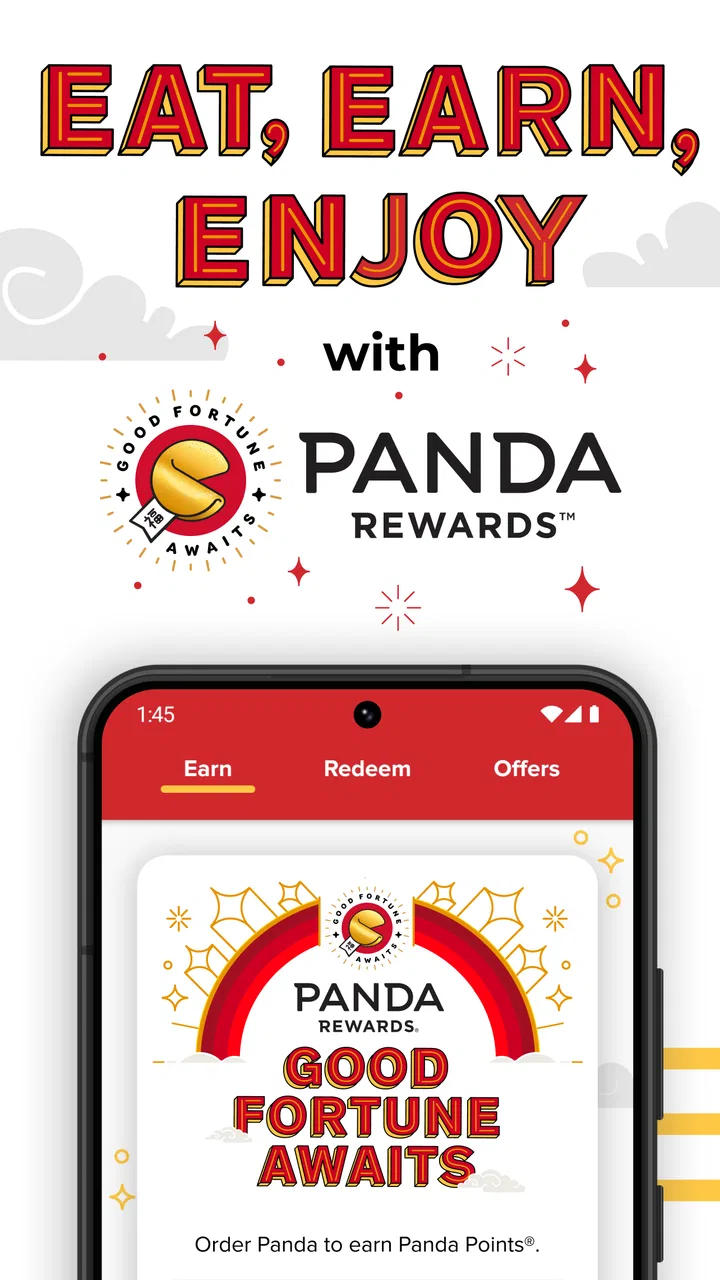
Panda Rewards gives the app a reason to remain installed after a single order. For someone who visits Panda Express regularly, having rewards activity connected to the restaurant’s own app can be more convenient than relying on a third-party ordering service that may not provide the same account experience.
The important trade-off is that rewards usually become valuable only when I consistently use the same channel. If I alternate between the app, a browser, in-person purchases, and another delivery service, the experience may feel less unified. I would decide first whether I want a regular Panda Express account relationship, then use the app consistently enough for its reward features to justify the extra sign-in and account management.
I also would not choose a meal solely because a rewards prompt makes it look attractive. The sensible approach is to order what I actually want, then treat rewards as a benefit attached to normal purchases. That keeps the app from encouraging unnecessary spending simply to chase progress.
Trust starts with visible choices
Because this app is connected to food orders and rewards, I pay attention to the moments where the app asks me to identify myself, choose a restaurant, or provide information needed to complete an order. Those are the points where I want the purpose of each action to be understandable.
I prefer a clear separation between what is necessary to place an order and what is optional for a more personalized experience. An account may be worthwhile for people who want rewards and a record of their activity, while an occasional customer may reasonably want the shortest possible path to a meal. The best experience is one where the user can see which choice supports ordering and which choice supports ongoing account use.
I also look for control over communication preferences and account access. If I decide that I no longer want promotional messages, I expect a practical way to adjust that preference rather than having to abandon the entire account. Likewise, anyone sharing a phone should be careful about staying signed in, especially when the app is connected to ordering details or rewards activity.
These are not dramatic features, but they shape whether I trust an app. Trust is built through understandable screens, deliberate confirmation steps, and the ability to change my mind. I would rather have a slightly slower checkout that lets me review the restaurant, order contents, and account choice than a fast flow that makes accidental selections easy.
Data-sensitive moments deserve attention
The most sensitive moments are not limited to payment. Choosing a nearby restaurant can involve location-related decisions, while an account connects activity to a particular user. Ordering also creates a record of what I selected and where I intended to collect or receive it. I therefore treat the app as a service account, not just a digital menu.
My practical habit would be to grant only the access that makes sense for the way I use the app, and to review device settings if I stop using a feature. If I do not need location assistance, I can select a restaurant manually when that option is available to me. If I use rewards, I would keep my account details current but avoid adding information that is not needed for the ordering experience.
I would also review the final order before confirming it. This is partly about avoiding a wrong meal, but it is also a data-control habit: I want to know which store, order method, and account context I am committing to. A quick review is especially worthwhile when I have recently changed locations or am ordering for several people.
On a shared phone, I would be more cautious. Signing out after use, protecting the device, and checking who can access notifications are simple steps that reduce accidental exposure of order information. The app itself cannot make a shared device private; that responsibility remains with the person using it.
Where the app gives me useful control
User agency is strongest when the app lets me make the important decisions before the order is final. I want to choose the restaurant rather than assume the nearest result is correct, review the meal composition, and decide whether using a rewards account is worthwhile. Those choices are more valuable than a crowded interface full of promotional material.
I also appreciate having a direct relationship with the restaurant when that is my preference. A third-party delivery app may be convenient for comparing many restaurants, but it can add another layer between me and Panda Express. The official app makes more sense when I already know the brand and want a focused ordering route.
That does not mean the official app is always the best option. A marketplace may be better if I am placing one combined order from several restaurants, comparing delivery availability, or already managing multiple orders in one place. A browser may suit someone who orders once and does not want another app installed. In-person ordering remains perfectly reasonable for a quick visit when the restaurant is nearby and the line is short.
The choice depends on what I value. The Panda Express app is strongest for repeat customers who want a dedicated account and rewards connection. It is less persuasive for people who dislike accounts, rarely visit the chain, or want a neutral comparison of restaurants and prices.
Small workflow tips that make a difference
I would select the restaurant before spending time customizing an order. That reduces the chance of building a meal around a location that is inconvenient or unsuitable for the pickup plan.
I would review the order as if I were checking a paper receipt: restaurant, meal items, sides, quantity, and order method. This catches mistakes before they become a conversation at the counter.
I would use the app consistently if rewards are important. Splitting activity across several ordering channels can make the account feel less useful and can make it harder to remember where an order was placed.
I would avoid treating notifications as a reason to open the app. Checking the app when I actually need to order or manage rewards keeps the experience practical instead of promotional.
I would revisit device and account settings after changing phones or sharing a device. Food orders may seem low-risk, but account access and notifications still deserve ordinary privacy care.
These habits are not complicated, but they address the real friction points I noticed: choosing the right store, keeping the order accurate, and deciding how much of an ongoing account relationship I actually want.
Who should use it, and who should skip it?
I would recommend the app to regular Panda Express customers, people who prefer ordering directly from a restaurant, and users who want Panda Rewards in the same place as their orders. It is also a sensible choice for someone who often repeats familiar meals and wants a faster route than starting from a general search every time.
It is less suitable for someone who visits Panda Express only occasionally and does not want to maintain another account. If I were comparing many restaurants, coordinating a broad delivery order, or trying to minimize the number of apps on my phone, I would probably use a browser or an existing marketplace instead.
People with older devices should check compatibility before planning around it. The minimum operating system is Android 7.0, so the app is not aimed only at the newest phones, but devices below that requirement will not be a practical fit. The app is free to install, though the cost of any food order is separate from the app itself.
My cautious verdict
After using it as a focused restaurant companion, I see the Panda Express app as a useful tool rather than an essential app for everyone. Its value comes from direct ordering and Panda Rewards, not from broad discovery or comparison. When I already want Panda Express, that focus saves time and keeps the choices relevant.
The app also deserves a deliberate approach to trust. I would review account prompts, restaurant selection, order details, communication preferences, and device access instead of accepting every option automatically. That does not make the experience difficult; it simply keeps me in control of an app that connects food orders with an ongoing account.
With a 4.6 average and a user base of over 5 million installs, it is clearly established enough to be a serious option for the chain’s regular customers. Still, popularity does not change the basic trade-off: the more often I order from Panda Express, the more worthwhile the dedicated app becomes. For occasional visitors or restaurant explorers, another route may be simpler.
My recommendation is straightforward: install it if Panda Express is already part of your routine and you want a focused ordering and rewards experience. Skip it if you want one neutral app for every restaurant, prefer not to manage another account, or rarely eat there. For the right user, the strongest reason to keep it is the combination of direct ordering, rewards access, and clearer control over the ordering moment.
FAQs for Panda Express
01What features does the Panda Express app offer?
The Panda Express app provides a seamless experience for ordering your favorite meals. Key features include easy menu browsing, customizable orders, and secure payment options. Users can also track their order status in real-time and access exclusive deals and rewards through the app’s loyalty program. It's designed to make dining more convenient and rewarding.
02Is the Panda Express app available for both Android and iOS?
Yes, the Panda Express app is available for both Android and iOS platforms. You can download it from the Google Play Store for Android devices and the Apple App Store for iOS devices. The app is optimized for both smartphones and tablets, ensuring a smooth user experience across different devices.
03Can I earn rewards using the Panda Express app?
Absolutely. The Panda Express app includes a rewards program where users can earn points for every purchase made through the app. These points can be redeemed for discounts or free menu items. The app also offers exclusive promotions and special offers for members, enhancing the overall dining experience.
04Does the Panda Express app support contactless payment options?
Yes, the Panda Express app supports various contactless payment methods, including credit and debit cards, as well as digital wallets like Apple Pay and Google Pay. This feature ensures a quick and secure checkout process, allowing users to enjoy their meals with minimal contact, enhancing both convenience and safety.
05How reliable is the order tracking feature in the Panda Express app?
The order tracking feature in the Panda Express app is highly reliable, providing real-time updates on the status of your order. From preparation to delivery, users can stay informed about each step of their meal’s journey. This transparency enhances the user experience, ensuring that you’re always aware of when to expect your food.
Pros
- User-friendly interface with intuitive navigation.
- Extensive menu with diverse meal options.
- Customization options for dietary preferences.
- Fast order processing and delivery tracking.
- Exclusive app-only promotions and discounts.
Cons
- Limited payment options can be inconvenient.
- Occasional app crashes during peak hours.
- Some users report slow customer support response.
- Limited regional availability for delivery.
- Frequent updates can be data-intensive.

Panda Express
Gallery